Guru Meditation #00000004.0000AAC0
Computing
A new look
Jan 7th
Okay, I’ve had enough of the snow. So I decided to give the website a new look. I had been toying around with a few different Wordpress themes but finally settled on Mystique by digitalnature.
It’s not quite ready yet… I need to configure the sidebars a little better and I need to come up with a way to show my flickr photos. But I should have that done soon.
Google ‘Chromium’ Video
Nov 20th
Looks like Microsoft may be facing some actual competition. If Google can make an OS based on Linux that Grandma can use, well, we might have a game changer.
If everything takes place in the browser… think of what’s possible… go ahead. I’ll wait.
But then, think of what’s not possible. I’ll wait for that too, If you like. I can see Chrome OS filling a little bit of a void, but it’s not going to get rid of your desktop PC anytime soon. With no local storage, and no local apps, specialty applications like video and audio editing won’t be going anywhere else, anytime soon.
What I do like about Chrome OS is that it could possibly give users the look and feel of a Linux-based system. And I think that’s good for everyone. Except Microsoft.
You know they had to cringe when they heard the line “Well, maybe we don’t need this anymore.”
Windows 7 is here.
Oct 22nd
I have been toying with it for a couple of months and have to say it is an improvement over Vista, but I also have to agree with most of the media in saying that I don’t think I would recommend that the average user run out and buy the upgrade version of Windows 7 to install on their existing home PC’s. I would wait and get it with a new PC. Most of the time an OS upgrade is more of a hassle than it is helpful. The only way I would recommend getting a Windows 7 upgrade now is if you were planning on reloading your computer completely in a fresh start kind of way.
Upgrades tend to take forever, and rarely do they improve the performance of the PC. So unless you plan on formatting the hard drive and starting over, I’d wait just a bit.
Looking forward to Zune HD… and more!
Aug 7th
This was a funny little video for a Friday:
I wish Microsoft would be a little less secretive about the upcoming Zune HD. I’d like to know if it’s going to have enough storage to effectively replace my Zune 80. I’d also like to know if I need to prepare to take out a second mortgage to be able to afford the device.
Amiga Forever 2009
Jul 31st
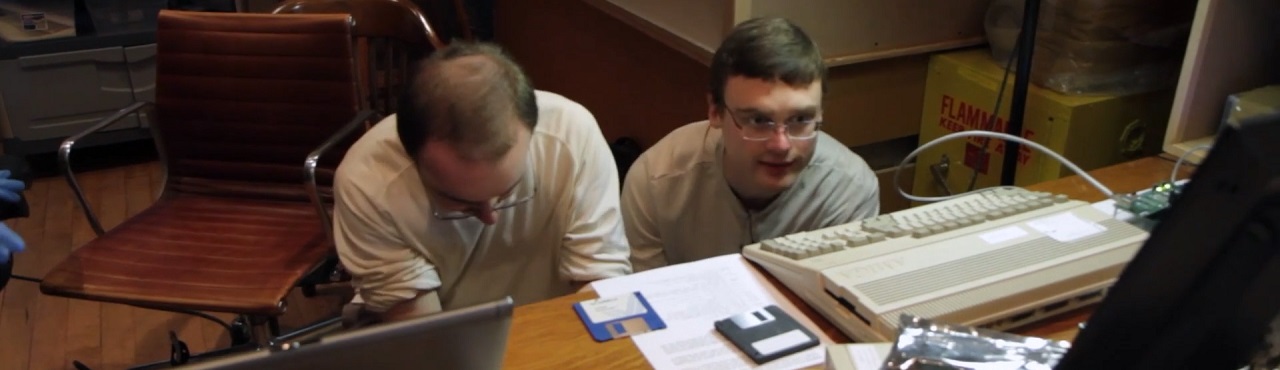
Yes, another Amiga-related entry. i can’t help it… it’s in my blood or something.
I just installed the Amiga Forever 2009 software fresh on my laptop. It looks like AmigaSYS integrates with the GUI directly and I have a large download (I assume of the latest version of AmigaSYS) that just finished… Let’s see how this goes.
Yes, after the download, the installation and integration of AmigaSYS was very smooth. Especially compared with the previous versions of AmigaSYS. You don’t even have to know where to store the files, it just does it all for you. Nice!
I’ve got a whole “hard drive” ready to import into my own Amiga 2000HD emulation environment. Hopefully that will go smooth.
But I’m very glad to see that development is going to continue on AmigaSYS. I’ve been impressed at what can still be accomplished in the Amiga environment in 2009.
New WV area code and Windows dial-up
Mar 3rd
Now that West Virginia is getting the new 681 area code, some Internet dial-up users are finding themselves in a pickle… Not only is the new 10-digit dialing a requirement for us, it’s also a requirement for our computers.
As a friend pointed out to me last night, most people around here have set up their computers to dial only the last seven digits of their ISP’s dial-up number. (623-xxxx) Well, effective February 28, all 10 digits must be dialed, including the area code. For a quickie guide to setting this up, look below. (Of course, if you can’t get on the Internet, how are you reading this?)
For Windows XP and Windows Vista, the fix is basically the same. These screenshots are from Vista, but the steps for XP are just the same:
Go to the Windows Control Panel and double-click “Phone and Modem Options”
The “Phone and Modem Options” window appears. (Imagine that!)
If you already have a location titled “My Location” you’re on your way! Not all dial-up software is the same, and some do not use the Windows modem options to configure their dialing. Hopefully, yours will. If you have a “My Location” line like mine above, click on “Edit…” If not, click “New…” (Though I can’t guarantee you that this will work for you. If you don’t have a location to start with, your software probably doesn’t use Windows to configure the modem. Sorry!)
If this is a new location, you’ll have to give it a Location name. “My Location” is just fine. Or, you can make up your own. Once you’ve reached the above screen, click on the “Area Code Rules” tab.
You may have an existing rule for 304. If you do, select it and click “Edit…” If you do not have an existing rule for 304, click “New…” Either way, you will reach this screen:
If the Area Code field is empty, type 304 in there. Here is the key step: Click the box beside “Include the area code.” That should be all there is to resolving this problem! Click OK three times to get out of there!
And, hopefully, you will be back online.
The HP Mini 1000… as Circuit City closes
Jan 25th
We just settled on a netbook for Tina. The HP Mini 1000:
It may be may last purchase from Circuit City.
They had the 1000 for 10% off, so we bit. It’s been quite nice so far. The screen is a little small, but you have to expect that from such a small computer. But it’s just so portable…
It comes with Windows XP and it has a built-in webcam. It doesn’t have a DVD or CD drive, but I could share one from an existing computer if I had to. Or I could get an external drive. It has 2 USB ports, an SD card slot, and Bluetooth and 802.11b/g built in.
I like it. I think it’s a cool little computer. Not the most powerful one on the block, but it doesn’t have to be. It’s mainly used for checking e-mail, MySpace, Facebook, and occasionally playing music. And it does those jobs just fine.
Why It Happens
Jan 16th
Well, Circuit City looks like it’s going to be history soon. I can’t say I’m all that surprised, given that they filed for bankruptcy in November of last year. Being a frequent customer of Circuit City, I must say I am disappointed.
Granted, Circuit City has not always been considered the most customer-friendly store on the planet. I know a few people who boycotted CC on their own for their own personal reasons. But I, personally, had mostly positive dealings with them. I think that lack of customer service ultimately helped lead to their downfall. I think it was probably a combination of factors, certainly including the current economic downturn. I know I haven’t been spending nearly as much on techno gadgets and entertainment as I have in the past. And I think that’s true for most Americans.
Customer Service Trumps All
But I think the biggest lesson to learn from CC’s demise is: Customer Service Trumps All.
I said “mostly” above because I did have one bad experience there. It wasn’t directly with Circuit City, but it was with an Element brand television I bought there. Element brand stuff could only be bought from Circuit City. It was kind of an in-house brand. Basically, the TV died right after the warranty expired. And that was the last TV I bought there. So if they have enough people having bad experiences, eventually their customer base will be gone.
And, as it turns out, price isn’t always all that important. What good is it to pay half as much for a TV if you have to buy twice as many of them?
So as I say, I’m sorry to see Circuit City go. It was a nice place to grab a game or a computer accessory, or sometimes just to have a look at the latest technology. Unfortunately, it looks as if too many people were just browsing.
Thinking of Netbooks
Jan 12th
My wife is in the market for a notebook or laptop PC. She needs something to check e-mail, Facebook, MySpace, etc. and something that will hold a good bit of music. I’m tempted to go down the netbook route because of their size and relative affordability.
I just spotted this new touchscreen netbook that was just introduced at CES this week: